How to Use Instagram Stories for YouTube
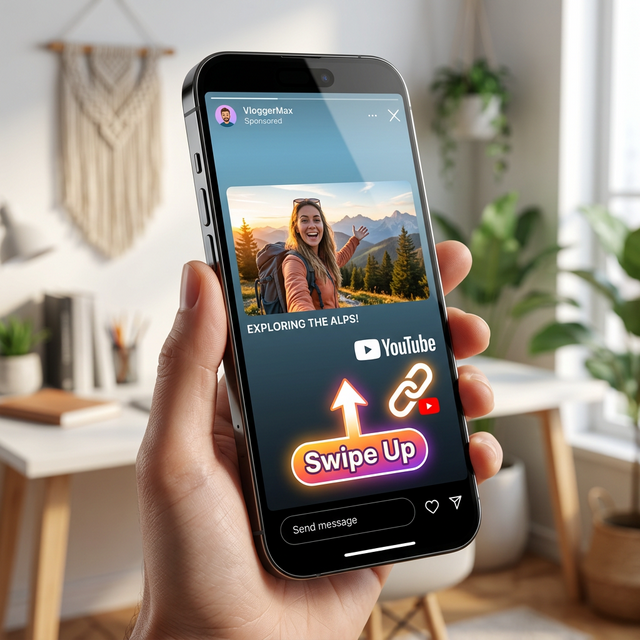
In the fragmented world of digital media, creators often treat their platforms as isolated silos. They post long-form content on YouTube and short-form visuals on Instagram, hoping for growth in both places independently. But this approach ignores one of the most powerful growth levers available: cross-platform synergy. Specifically, using Instagram Stories to drive traffic to YouTube is a strategy that can dramatically boost your views, watch time, and subscriber count—if done correctly.
Instagram Stories are unique. Unlike the main feed, which is algorithmic and permanent, Stories are chronological, ephemeral (lasting 24 hours), and sit at the very top of the user's screen. They command immediate attention. With over 500 million daily active users engaging with Stories, ignoring this real estate is leaving massive potential traffic on the table.
However, simply pasting a link and saying "New Video Out" is no longer enough. Users are bombarded with content, and friction is the enemy of conversion. If your link opens slowly, lands in a browser instead of the app, or lacks context, viewers will swipe away. This guide will walk you through advanced strategies to turn your Instagram Stories into a high-converting funnel for your YouTube channel, leveraging psychology, design, and technology like deep linking to maximize every tap.
1. The Psychology of the Story Swipe
To master Stories, you must understand the user mindset. When someone watches Stories, they are in a state of rapid consumption. They tap through frames quickly, looking for novelty, entertainment, or connection. They are not in "search mode" like on YouTube; they are in "discovery mode."
Your goal is to interrupt this rapid scrolling with a pattern break that creates curiosity. You aren't just sharing a link; you are selling a click. Every frame leading up to your link sticker must build anticipation. If you just post a thumbnail and a link, it looks like an ad. Ads get skipped. Value gets consumed.
2. The "Tease and Reveal" Content Strategy
The most effective way to drive traffic is to create a content gap. Show the result, but hide the process. Show the climax, but hide the setup. This triggers the "Zeigarnik Effect," a psychological phenomenon where people remember uncompleted tasks better than completed ones. They will click your link to "complete" the story.
The Behind-the-Scenes (BTS) Hook
People love seeing how the sausage is made. Post a Story showing a chaotic filming setup, a blooper, or a specific prop used in your latest video. Caption it: "You won't believe what happened when we tried this... full story on the channel." Then, add the link. This humanizes your brand and makes the video feel like an exclusive peek behind the curtain.
The "Value Snippet"
Take the single best 15-second clip from your YouTube video—a profound quote, a funny joke, or a crucial tutorial step—and post it natively to Instagram. Let them watch that snippet. Then, immediately follow up with a text frame: "That was just part 1. The rest of the tutorial breaks down exactly how to do this step-by-step. Tap below to watch the full guide."
By giving value upfront, you prove the content is worth their time, reducing the risk of clicking.
The Interactive Poll Funnel
Engagement begets engagement. Before dropping a link, use an interactive sticker (Poll, Quiz, or Question Box).
- Step 1: Post a poll related to your video topic. "Do you prefer Strategy A or Strategy B?"
- Step 2: Once they vote, post the next Story: "Most of you voted A, but actually, B is the secret weapon. I explain why in my new video."
- Step 3: Drop the link.
Because they already invested effort by voting, they are psychologically more committed to seeing the result. This "micro-commitment" technique significantly boosts click-through rates.
3. Mastering the Link Sticker
The Link Sticker is your primary vehicle, but how you use it matters. A naked URL looks spammy. Instagram allows you to customize the text on the sticker (e.g., "Watch Now," "Full Tutorial," "See More").
- Use Action-Oriented Text: Instead of "Link," use "Watch the Full Video" or "Get the Free Guide."
- Visual Cues: Use GIFs or drawn arrows pointing directly to the link sticker. Motion draws the eye. A subtle "Tap Here" animation can increase taps by guiding the user's finger.
- Placement: Keep the sticker in the "thumb zone" (bottom middle or lower right) for easy one-handed tapping. Avoid placing it too close to the edge where accidental swipes happen.
4. The Critical Role of Deep Linking
This is the technical secret that separates amateur creators from pros. When a user taps your Instagram link, where do they go?
If you use a standard YouTube URL, Instagram often opens it in its internal browser. The user is then stuck in a clunky web view. They might have to log in again. The "Open in App" button is small and easy to miss. This friction causes massive drop-off rates. Many users will simply give up rather than navigate the hassle.
The solution is Deep Linking (or App-Opening Links). Tools like OpeninYoutube generate smart links that detect the user's device.
- If they have the YouTube app: The link bypasses the browser entirely and opens the video directly inside the native YouTube app. This is instant, seamless, and logged in.
- If they don't have the app: It gracefully falls back to the mobile website so no one is left behind.
By ensuring your audience lands directly in the YouTube app, you improve the viewing experience, increase watch time (since the app is optimized for retention), and make it one tap easier for them to subscribe. In the competitive world of attention, removing this friction is a game-changer.
Pro Tip: Always test your links on both iOS and Android before posting. Ensure the deep link triggers the app correctly on both operating systems.
5. Designing for Retention: The Multi-Frame Sequence
Don't dump the link in the first frame. Use a sequence of 3-4 Stories to build a narrative arc.
- Frame 1 (The Hook): A bold statement, a shocking image, or a question. No link yet. Just grab attention.
- Frame 2 (The Context): Explain why this matters. "I spent 20 hours researching this..."
- Frame 3 (The Tease): Show a glimpse of the solution but cut it off. "The results were insane..."
- Frame 4 (The CTA): "Want to see the full results? Tap below." + Link Sticker.
This sequence warms up the audience. By the time they see the link, they are already invested in the story.
6. Leveraging Highlights for Evergreen Traffic
Stories disappear after 24 hours, but your promotional efforts shouldn't. Create a "New Videos" or **"Latest Uploads"** Highlight on your profile.
Save your best promotional Stories to this Highlight. Design a consistent cover icon for the Highlight so it looks professional on your profile grid. New visitors who check your profile can binge-watch your teasers and click the links (which remain active in Highlights) to catch up on your content. This turns your profile into a persistent funnel for your YouTube channel.
7. Timing and Frequency
When should you post your promo Stories?
- Launch Day: Post a sequence immediately upon publishing. Follow up 4-6 hours later with a different angle (e.g., a viewer reaction or a specific tip from the video).
- The "Next Day" Bump: Algorithms often suppress links posted at the exact same time as everyone else. Posting a reminder Story the next morning can catch people who missed the initial wave.
- Engage with Replies: If someone replies to your Story, reply back with a video message or a direct link in DM. Personal interaction builds super-fans who will click everything you share.
The "Close Friends" Strategy
Create a "Close Friends" list on Instagram consisting of your most engaged fans. Post exclusive teasers or early access links to this group only.
This makes them feel special and valued. Often, these superfans will watch the video immediately upon release, boosting your initial velocity and signaling to YouTube that the video is a hit.
Common Mistakes to Avoid
- Link Dumping: Posting just a screenshot of the thumbnail with a link. It's boring and ignores the native features of Stories.
- Ignoring Mobile Optimization: If your link doesn't open the app, you are losing viewers. Always use deep links.
- Too Much Text: Stories are visual. Keep text concise and legible. Don't write paragraphs.
- Inconsistency: Only promoting once a month won't build a habit. Make Stories a regular part of your launch routine.
Warning: Avoid "engagement bait" like "Tap the link or you'll miss out forever!" False urgency damages trust. Be honest about the value they will get by clicking.
Conclusion: Building a Bridge Between Platforms
Instagram Stories are not just a place to share your lunch; they are a powerful bridge connecting your social audience to your long-form content hub. By combining psychological hooks, strategic sequencing, and the technical advantage of deep linking, you can transform passive scrollers into active viewers.
The key is to respect the platform. Create content that feels native to Instagram while serving your YouTube goals. Remove every ounce of friction between the tap and the play button. When you do this consistently, you stop relying solely on the YouTube algorithm and start building your own traffic engine.
Start today. Take your latest video, craft a 3-frame teaser sequence, generate a deep link with OpeninYoutube, and watch as your external traffic—and your engagement—starts to climb.
Want More Creator Tips?
Join thousands of creators who use OpeninYoutube to grow their channels.
Sign Up Now